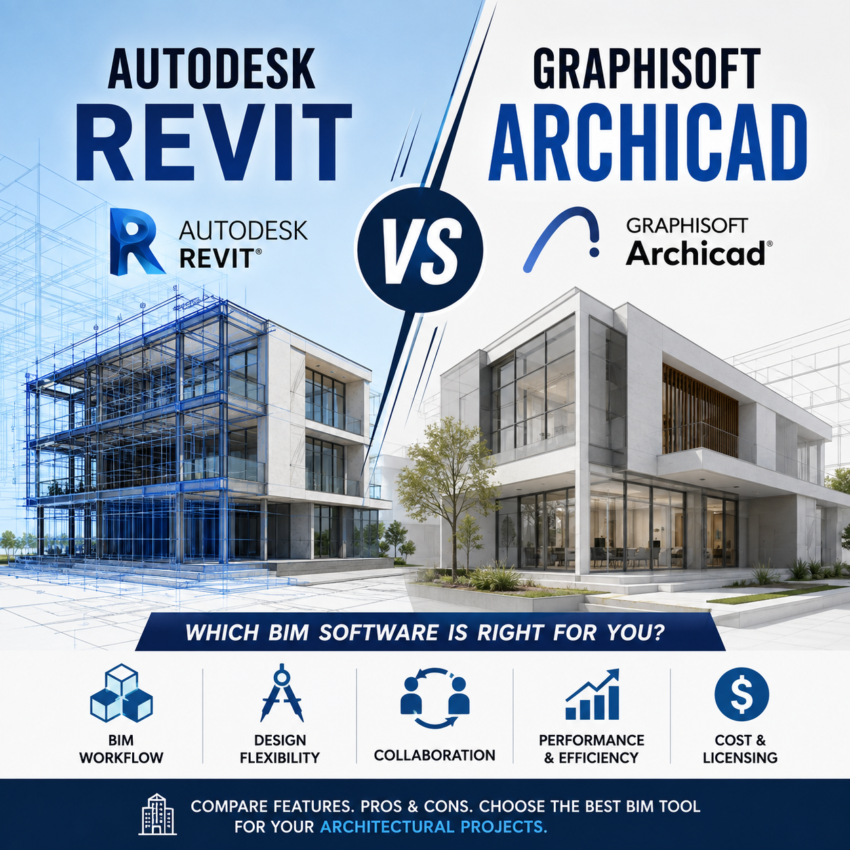
Autodesk Revit vs Graphisoft Archicad – Compare Features
Autodesk Revit vs Graphisoft Archicad comparison is one of the most consequential decisions an architecture or engineering firm makes. It shapes how you model, document, coordinate with consultants, and hire staff for years to come. Both are mature, professional-grade Building Information Modeling (BIM) platforms.
This guide breaks down how the two compare on pricing, workflow, coordination, platform support, and hiring, with a specific focus on what matters for firms working in the United States.
Quick Answer
If you manage large, multi-discipline projects — architecture, structural, and MEP under one roof — or you regularly work on US government and public-sector jobs with BIM mandates, Revit is usually the safer choice. It’s the North American industry standard, and the labor pool is built around it.
If you’re a small-to-midsize architecture studio, run on Macs, prioritize fast design-phase modeling, or want a gentler learning curve, Archicad is often the better fit. It’s design-centric, cross-platform, and firms tend to get productive faster on it.
At-a-Glance Comparison
| Factor | Autodesk Revit | Graphisoft Archicad |
|---|---|---|
| Developer | Autodesk | Graphisoft |
| Current version | Revit 2026 | Archicad 29 |
| Operating systems | Windows only | Windows and macOS (native) |
| Core strength | Multi-discipline coordination | Architectural design + documentation |
| Learning curve | Steeper | Gentler |
| US market position | Industry standard | Smaller but loyal following |
| Approx. annual price (US) | ~$2,910/user standalone | ~$2,250–$2,750/user |
| Perpetual license | Discontinued | Being phased out |
| Native AI features | None yet (third-party available) | AI Assistant (beta) |
| Open BIM / IFC focus | Supported | Strong emphasis |
Company and Product Background
Revit is developed by Autodesk, the same company behind AutoCAD, Navisworks, and Civil 3D. That ecosystem is a big part of Revit’s appeal in the US, where much of the profession already lives inside Autodesk tools. Revit holds an estimated 40% of the global BIM market, with even higher adoption across North America.
Archicad, from Hungary-based Graphisoft, has a longer history than you may realize — it was first released in 1987 and is widely regarded as the first BIM application to run on personal computers. It has a strong following in Europe and Australia and among boutique and residential firms worldwide, and it’s built with a distinctly architect-first mindset.
Pricing and Licensing
Cost is often the deciding factor, especially for small firms and solo practitioners.
Revit runs on Autodesk’s subscription model. As of 2026, a standalone Revit subscription is roughly $2,910 per user per year, or about $365 per month. Most US firms, however, buy the AEC Collection, which bundles Revit with AutoCAD, Navisworks, Civil 3D, and Autodesk Forma for approximately $3,430 per year — a meaningful upgrade in value if you use more than one Autodesk tool.
Archicad pricing shifted with Graphisoft’s move to subscription-only licensing. The Collaborate plan lands around $2,250 per year (roughly $280/month), with Studio-tier subscriptions in the ballpark of $2,750 depending on region and configuration. The perpetual license that many long-time Archicad users valued is being phased out — new customers can no longer buy perpetual licenses.
Both vendors offer free educational licenses for students and educators, which is worth noting if you’re building a hiring pipeline from local architecture programs.
The takeaway: Archicad generally carries a lower total cost of ownership, and some estimates put a comparable Archicad setup at a fraction of an equivalent full Autodesk stack. But if your workflow already depends on multiple Autodesk products, the AEC Collection can be the more economical bundle overall.
Modeling Philosophy and Workflow
This is where the two platforms genuinely diverge.
Archicad takes an object-oriented, design-centric approach. Many architects describe it as more intuitive to design in — especially in 3D — with an interface that prioritizes creative flexibility. New users typically become productive faster; a small studio can often get up and running in one to two weeks.
Revit uses a database-driven model that excels at coordination and documentation at scale. It’s extremely powerful once mastered, but the learning curve is steeper, and firms usually budget more onboarding time. The payoff is deep control over large, complex projects with many linked models and disciplines.
Neither approach is objectively “better” — it depends on whether your firm’s pain point is early-phase design agility (Archicad) or downstream coordination and documentation muscle (Revit).
Multi-Discipline Coordination and Interoperability
For firms that coordinate architecture, structural engineering, and MEP internally, Revit has a clear edge. Its structural and MEP tools are deep, and it integrates tightly with the rest of the Autodesk ecosystem — Navisworks for clash detection, Civil 3D for site work, and BIM collaboration tools for shared models. On large multidisciplinary US projects, that coordination depth is hard to beat.
Archicad focuses primarily on architectural workflows. You *can* model structural and MEP elements, and the MEP Designer add-on (included with Archicad Collaborate) improves this considerably, but it doesn’t match Revit’s depth for full multi-discipline teams.
Where Archicad shines is Open BIM. Graphisoft has positioned Archicad as an Open BIM champion, with strong IFC support for exchanging models across platforms and disciplines regardless of software. Revit supports IFC too, but real-world interoperability tends to be smoothest within the Autodesk world — the trade-off being a degree of ecosystem lock-in.
Platform Support: A Deciding Factor for Mac Studios
One practical difference gets overlooked until it matters: Archicad runs natively on both Windows and macOS. Revit is Windows-only.
On AI, it’s worth being clear-eyed: Revit has no native AI features as of version 2026, though Autodesk previewed a generative “neural CAD” concept at AU 2025 that remains pre-beta, and a large third-party AI ecosystem exists around Revit. Archicad’s AI Assistant is further along in shipping but still early and limited in scope.
The US-Specific Angle
For firms operating in the United States, a few factors carry extra weight:
– Industry standard status. Revit is the default BIM platform across much of North America. Many US public and government projects mandate specific BIM deliverables that assume a Revit-based workflow.
– Hiring and staffing. The US labor market is heavily Revit-trained. Job postings for architects and BIM technicians frequently list Revit proficiency as a requirement, which makes staffing an all-Revit shop easier. Finding experienced Archicad users takes more effort in most US markets.
– Consultant compatibility. If your structural and MEP consultants work in Revit — and in the US, many do — sharing native models is frictionless. An Archicad shop leans on IFC exchange for that coordination, which works but adds a step.
– Where Archicad wins in the US. Smaller residential and boutique firms, Mac-based studios, and practices that prize design-phase speed over enterprise coordination often prefer Archicad — and its loyal US user base reflects exactly that profile.
Which Should You Choose?
Choose Revit if you: run large multidisciplinary projects, coordinate architecture/structural/MEP in-house, work on US government or public-sector jobs, already use Autodesk tools, or want the easiest path to hiring trained staff.
Choose Archicad if you: are a small-to-midsize architecture firm, work on Macs, want faster onboarding and design-phase modeling, care about Open BIM interoperability, or want a lower total cost of ownership.
Some firms don’t choose at all — they use both strategically: Archicad for early-phase creative exploration, then Revit for documentation, coordination, and construction delivery. If your budget and team size allow it, a hybrid workflow lets you play to each tool’s strengths.
Final Word
There’s no single winner in the Revit vs Archicad debate. There’s only the right tool for your practice. For most US firms working on larger, coordinated projects with Revit-trained teams and Autodesk-based consultants, Revit remains the pragmatic default. For design-led studios, Mac-based practices, and firms that value speed and lower cost, Archicad is a genuinely compelling alternative that too many US firms overlook.
If you are interested in top 5 Construction Schedulling software check this
Read Also-
Bamboo as a Building Material – Construction Trends
LEED Ratings Explained: A Complete Guide to LEED Certification Levels
FAQs
Yes. Archicad runs natively on both macOS and Windows. Revit is Windows-only, so Mac users need virtualization or a separate Windows machine to run it.